Mobile Top-Up Casinos in the UK: How Payments Work
 Available in GB

Using a phone to access a casino is different from charging a deposit to a phone bill or prepaid balance through Payforit.
Table of Contents
- What “Mobile Top-Up” Means at a UK Casino
- Paying Online by Phone: Check the Cashier First
- Phone-Bill Deposits: What You Can and Can’t Do
- Paying by SMS: The Deposit Steps
- Phone-Bill Slots and the Withdrawal Catch
- Mobile-Funded Slots: Keep the Deposit in Perspective
- Using Mobile Payments for Casino Slots
- Mobile Billing: Fees, Limits and Changing Terms
- How to Judge a Mobile Top-Up Casino
- Can You Top Up a Casino with Phone Credit?
- Deposit Options and Cashier Limits: VegasHero Payments UK
What “Mobile Top-Up” Means at a UK Casino
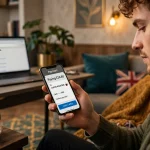
“Mobile top-up” can mean two different things: using your phone to open a casino and make a deposit, or charging that deposit to your mobile account. The distinction matters. A payment made on a phone is not automatically a pay-by-mobile payment.
You might log in through a mobile browser, open the cashier and pay with a debit card or another method shown there. In that case, your phone is simply the device you used; the money comes through the chosen payment method. With pay-by-mobile, the charge is tied to your mobile service instead. Payforit is the relevant name to know in the UK.
A Payforit deposit is charged either to a monthly phone bill or to a Pay as you Go balance. If you have a contract phone, the charge is added to a future bill. If you use pay as you go, it comes out of your existing prepaid credit. So “top-up” does not necessarily mean adding money to your casino account from a bank card while using a mobile. It can mean placing a casino deposit against your phone account or balance.
If you’re choosing a UK casino for mobile top-ups in 2026, use this list as a starting point and check whether each option suits your needs. The available detail here is limited to payout speed, so it does not confirm mobile top-up methods or features.
1. NightWin
Payout speed: 1-3 business days NightWin’s stated payout speed is 1–3 business days. This gives you a timeframe to consider, but no mobile top-up details are provided.
2. SlotoSport
Payout speed: 1-3 business days SlotoSport lists a payout speed of 1–3 business days. You’ll need further information to assess its mobile top-up options.
3. Revery Play
Payout speed: 1-3 business days Revery Play’s stated payout speed is 1–3 business days. No details are provided here about mobile top-ups.
4. Zombillion
Payout speed: 1-3 business days Zombillion lists a payout speed of 1–3 business days. This is the only specific detail available for your consideration.
5. Amunbet
Payout speed: 1-3 business days Amunbet’s stated payout speed is 1–3 business days. The available information does not specify mobile top-up methods.
6. Dieselwin
Payout speed: 1-3 business days Dieselwin lists a payout speed of 1–3 business days. You’ll need more information to judge its relevance for mobile top-ups.
7. Britsino
Payout speed: 1-3 business days Britsino’s stated payout speed is 1–3 business days. No other details are available here, including about mobile top-ups.
8. BeOnBet
Payout speed: 1-3 business days BeOnBet lists a payout speed of 1–3 business days. This is the only stated fact to use when considering it.
9. Chanze
Payout speed: 1-3 business days Chanze’s stated payout speed is 1–3 business days. The available details do not confirm its mobile top-up options.
10. EvoSpin
Payout speed: 1-3 business days EvoSpin lists a payout speed of 1–3 business days. No further information is provided here about mobile top-ups.
That is the basic idea behind a mobile top-up casino: the casino’s cashier offers a payment route connected to your mobile service. The phone number and network account are part of the payment, rather than your phone being only a screen for entering card details. Whether that route appears for you depends on the casino’s available payment options; the phrase itself does not guarantee that every site accepts it.
It also helps to separate pay-by-mobile from buying phone credit. With Payforit, the charge is made to a contract bill or deducted from prepaid credit already on the phone. That is different from using a phone to access an online banking app, transferring money from a bank account, or paying with a card through the casino cashier. The transaction may happen on the same handset, but the source of the funds is not the same.
Other cashier methods can include debit cards, e-wallets or prepaid payment options, where offered. They do not become mobile payments just because you complete the transaction on a phone. A debit-card deposit, for instance, is still a card transaction. In Great Britain, credit-card payments cannot be accepted for online gambling, including when routed through a money service business. A mobile screen does not change that rule.
The wording can be slippery. Someone may say they made a “mobile deposit” when they mean they deposited while using a phone. Another person may use “mobile top-up” to mean a charge through Payforit. If you are comparing options, look at the payment name in the casino cashier and how it says the money will be taken. The label tells you more than the device you happen to be holding.
Deposit Options and Cashier Limits: VegasHero Payments UK
I would treat “mobile” as describing either the device or the funding route, then check which one the casino means. If the cashier lists Payforit, that points to a phone-billed or prepaid-credit payment. If you select a card or e-wallet while browsing on your handset, it is that card or wallet funding the deposit. Same phone, different route.
This distinction is useful before you decide what a “mobile top-up” offer actually refers to. It avoids assuming that any casino designed for a phone accepts payment from a phone bill, or that a phone-based deposit uses prepaid credit. The payment method has to be named and available in the cashier; the phrase alone is not enough. A small wording difference, but an important one.
Paying Online by Phone: Check the Cashier First
Before you try to top up a casino account from your mobile, open the site’s live cashier. The payment options on a general information page may not match what is available to your account at the moment you deposit. A specialist payment review also recommends checking the cashier itself for the current minimum, maximum transaction value, fees and financial-limit controls. Treat those details as specific to the operator and the payment route, not as fixed rules across UK casinos.
Attention: Payment options on a general information page may not match what is currently available to your account in the live cashier.
Start with the amount you want to deposit. Select a payment option in the cashier and read the displayed minimum and maximum before you continue. A phone-based route may not accept the amount you had in mind; another method shown beside it may have different terms. If the cashier does not make a limit or fee clear, pause and check the operator’s current payment information rather than guessing.
Then look at the total cost, not just the amount credited to your casino balance. A fee can affect what leaves your account or phone balance, and the terms may depend on the selected method. Processing information can also differ between payment routes. The cashier is where to check the terms that apply to the transaction you are about to make.
Compare what is actually available
You do not need to choose a phone payment simply because you are browsing on a phone. The cashier may show other options, and availability should be confirmed there rather than assumed from a list on another page. Independent current reviews have listed methods such as Visa, Mastercard, Skrill, Neteller and PaysafeCard, but that does not establish that any of them is available at a particular casino or to every account. Check the live options.
For each displayed route, compare the amount it accepts, any stated charge and the payment conditions. A familiar name is not a substitute for checking the details. The same applies if you have used a method elsewhere: an operator’s own limits and terms may differ, and those details can change.
Anonymous Crypto Casinos in the UK: How They Work
One important UK distinction: credit-card payments cannot be accepted for online gambling. That restriction also covers a payment routed through a money service business. Do not try to use an intermediary to turn credit-card funds into a gambling deposit. Check that the method you select is permitted and is presented by the casino for that purpose.
Set your account limit before depositing
If you are a new remote customer, you must be prompted to consider a financial limit before making your first deposit. Take that prompt seriously and decide what you can afford to spend before choosing a payment route. Account-level limit facilities must remain accessible afterwards, so you should be able to find and review them beyond the initial sign-up stage.
A deposit limit and a payment method answer different questions. The cashier tells you what a particular transaction can accept; an account limit helps you control how much you put into gambling over the period covered by that setting. Check both. Do not treat a payment option’s maximum as a sensible spending target, and do not assume that choosing a smaller transaction automatically sets a limit on future deposits.
I would also avoid starting a transaction until the amount shown on the confirmation screen matches what you intend to pay. If the amount, fee or destination is unclear, back out and read the terms. A moment spent checking beats trying to reconstruct what you agreed to later.
Make the check part of choosing
A useful comparison is straightforward: what routes does your account’s cashier show, what amount does each allow, what fees or processing terms are displayed, and where can you set or manage your financial limits? The answers belong to the live cashier and the account controls, not to a general promise that a method is available everywhere.
Do
- Check current options in the live cashier
- Confirm transaction terms and fees
- Set your financial limit first
Don’t
- Assume methods from general lists are available
- Guess limits or fees if not clear
- Proceed without a spending target
Keep the decision in that order: check the current options, confirm the transaction terms, set your financial limit, then decide whether to proceed. Phone-based top-ups can appear simple, but the cashier is where the practical details become specific to you. Check first. Then choose.
Phone-Bill Deposits: What You Can and Can’t Do
A deposit charged to your phone account has a firm boundary: it is a way to put money into a casino balance, not a way to move money back out. With Payforit, the charge is added to a monthly phone bill or taken from Pay as you Go credit. That can make the transaction feel separate from a bank payment, but the money is still being spent on gambling.
The key restriction is the transaction ceiling. The phone-paid services regulator sets a maximum Payforit deposit of £30 per transaction. A casino cannot use this route to take a larger single deposit. The cashier should show the amount it will accept before you commit, so check the figure displayed there rather than assuming that a limit described elsewhere still applies.
That cap also shapes what the payment method is useful for. It is suited to a small deposit, not to moving a substantial amount into an account at once. If the amount you intend to deposit is above the permitted transaction value, do not look for a way around the restriction. Choose another method shown in the casino’s current cashier, or reconsider the deposit. The limit is there for a reason.
Casinos That Accept Siru Mobile in the UK
There is another practical consequence: a Payforit deposit cannot be withdrawn through Payforit. If you later have casino funds to cash out, they cannot be sent back as phone credit or added to your mobile bill through this route. In other words, paying in by phone does not make your phone account a two-way wallet. Keep that distinction clear before using the method.
I would also treat the deposit as separate from any welcome offer. Specialist casino reviews report that many UK casinos do not count Payforit payments towards welcome bonuses or other promotions. That is not a guarantee about every offer or every operator; the terms attached to the offer and the cashier are what matter for the account in front of you. If a bonus is part of your reason for depositing, check whether this particular payment method qualifies before proceeding. A deposit can go through without being eligible for the promotion you had in mind.
The same caution applies to the amount you see offered. A casino may show Payforit as an option, but the transaction cap does not tell you whether the casino will accept the deposit size you have chosen or whether an offer applies. Read the cashier’s displayed terms and the relevant promotion conditions. If the method is unavailable for your account, or the amount falls outside the displayed limits, do not assume that selecting a different phone payment will produce the same result.
Before your first deposit, set a financial limit for your gambling account. That prompt is worth taking seriously even when the amount is charged to a phone bill rather than a bank card. Phone credit can make a deposit feel like a routine mobile purchase; the payment source does not change what the money is for. Make sure the amount fits within the limit you have chosen and that you can afford to lose it.
Transaction Limit
The phone-paid services regulator sets a maximum Payforit deposit of £30 per transaction.
There is a difference between a phone-bill deposit and a route for managing the rest of your casino account. Payforit can fund the balance, but it cannot return casino funds to you. Nor does its transaction cap say anything about what other payment options the operator may accept. Keep those points separate: the phone route has a defined ceiling, promotional eligibility depends on the specific terms, and Payforit itself cannot be used to withdraw.
If you are considering a phone-bill top-up, think of it as a restricted deposit channel rather than a complete payment arrangement. The £30 ceiling applies to each Payforit transaction, and the route ends at the deposit. Nothing more complicated than that.
Paying by SMS: The Deposit Steps
If Payforit appears in the casino cashier, the deposit is confirmed through a short SMS flow. The key is to follow the prompts on the casino’s own payment screen and check each detail before you send anything. A text message that looks like part of the process is not enough on its own; the confirmation needs to match the transaction you intended to make.
Start by signing in and opening the deposit area. Choose Payforit from the methods actually displayed. Do not assume it will be available just because the casino has a mobile-friendly website: the cashier is where you can see whether it is offered to your account. If the option is absent, stop there rather than trying a number or link found elsewhere.
Casino Sites That Accept EcoPayz in the UK
Next, enter your mobile number in the form provided. Take a moment to check the digits before continuing, since the confirmation message is sent to that number. The screen should show the transaction details for you to review. Make sure they correspond with the deposit you set up; if anything looks unfamiliar or does not match, do not confirm it. Close the payment flow and check the cashier again.
When you proceed, Payforit sends an SMS containing a confirmation code. Read the message carefully and return to the payment page. Enter the code in the field shown there, then submit it. That code is the step that authorises the transaction; receiving a text does not mean you have finished the deposit. Keep the code private and use it only in the payment flow you opened yourself.
After submission, wait for the cashier to show the result. If the deposit is accepted, the casino should display a confirmation on screen. If the page stalls, shows an error, or the balance does not update, avoid repeating the transaction immediately. Check the payment status and any account message first, so you do not start another request while the first one is still being processed. If the instructions are unclear, use the casino’s support channel rather than replying to an unexpected message.
A failed code can be a sign that the number was entered incorrectly, the message was not received, or the payment session has expired. The right response is to return to the cashier and follow the displayed instructions, not to guess the code or keep submitting an old one. If the service gives you a fresh transaction, check its details again before confirming.
SMS Deposit Steps
Choose method
Select Payforit from the methods actually displayed in the live cashier.
Enter details
Provide your mobile number and review the transaction details on screen.
Authorise
Enter the confirmation code sent to you via SMS into the payment page.
Confirm result
Wait for the cashier to display the final confirmation and check your balance.
Boku may also use SMS confirmation, but it is a separate payment method. The cashier needs to show Boku before you can use it, and its confirmation message should be treated as part of that specific transaction. A specialist payment review reports that a network fee may apply and that the charge can depend on the network and tariff; check the amount presented to you before confirming. With Boku, available phone credit needs to cover both the deposit and any such fee.
Before making a first deposit, set a financial limit you can keep to, and make sure you have completed the casino’s age checks. Then take the payment one screen at a time. Small pause, fewer surprises.
Phone-Bill Slots and the Withdrawal Catch
A deposit made through your phone account is not a promise that any winnings can be sent back to it. Payforit is a way to fund a casino balance, not a payout channel. So if you use it for mobile slots, plan for the possibility that a withdrawal will need to go somewhere else.
That matters because the deposit button and the withdrawal menu are separate parts of the cashier. A method appearing under “Deposit” does not establish that it can be used to cash out. Before you pay by phone, open the withdrawal section as well and see which routes are available to your account. A specialist review describes debit cards, bank transfers, PayPal and e-wallets such as Skrill or Neteller as possible payout options at UK-licensed casinos; the operator’s live cashier is still the place to confirm what applies to you.
TRON TRX Casino Comparison for UK Players
For a Payforit deposit, make sure you have another suitable, verified way to receive money. That might be a bank account, an eligible debit card, or an e-wallet accepted by the casino. The details need to belong to you and match the account information the operator holds. A payment route in someone else’s name can create a problem when the casino checks a withdrawal.
I would also check the practical details before putting money in. Look for the minimum withdrawal balance, any maximum, fees and the stated processing arrangements. These depend on the operator and selected method, and can change. A specialist review notes that a casino may decline a request if the balance is below its minimum cash-out threshold; if the amount you hope to withdraw is modest, that condition is worth finding before you play. The cashier, not an old guide, is the useful reference.
Then check whether identity verification is outstanding. If the operator needs documents or other account checks, a withdrawal may not proceed until those are resolved. Read the current terms too, especially the sections on payment methods and withdrawals. A specialist review points out that some casinos require a payout to use the deposit method, but that condition cannot make Payforit a withdrawal route: the phone-bill service cannot return casino funds. If the terms seem to require a method that cannot pay out, ask the operator how its rule works for phone-funded deposits before continuing.
A Payforit deposit cannot be withdrawn through Payforit; you must have another verified payout route like a bank account or e-wallet.
Keep the route itself in mind. If the cashier offers a choice of bank transfer, debit card or an e-wallet, confirm that the option is available to you and that its account details and currency are compatible with your casino account. Public banking information does not settle the operator’s current limits, charges or processing statements, so check those in the live cashier rather than relying on a general estimate.
The simple test is this: can you identify a valid payout route, meet its account checks, and understand the current terms before depositing? If not, pause. A phone-bill top-up may get money into the balance, but it does not solve the journey back out.
Mobile-Funded Slots: Keep the Deposit in Perspective
A deposit made through your phone can feel separate from everyday spending. It is not. Whether the money comes from a phone bill or prepaid credit, once it is in your casino account it is money you have chosen to risk. Decide what you can afford to lose before you start playing, not after a few spins have changed how the balance feels.
New customers must be prompted to consider setting a financial limit before their first deposit. Take that prompt seriously. Choose an amount that fits your own budget, rather than treating the phone payment as spare money simply because it does not leave your bank account at that moment. If losing the amount would affect bills, essentials or plans you have already made, lower it or do not deposit.
Casinos That Accept Entropay in the UK: What to Check
Think about the whole session, too. A small top-up does not automatically make a session low-risk: you may be tempted to add more when the balance runs down. Make your limit cover the amount you are prepared to spend overall, and stop when you reach it. Don’t reset the decision mid-session because a win feels close or a loss feels recoverable. That is the point at which a tidy plan starts to unravel.
The same limit needs to remain useful after you have opened the account. Account-level financial-limit facilities must stay accessible, so you can review or manage your limits later rather than relying on memory. Check those controls when you are calm, and use them to keep your play within the boundary you set. A limit is not a target to reach; it is a guardrail.
When looking at mobile top-up slots, keep the payment method in its proper place: it is only one way of funding play, not a reason to change your budget. I would decide the amount first, then leave the payment option out of the calculation. Convenient or not, the money still counts.
If you find yourself trying to recover losses, borrowing to keep playing, or repeatedly raising the amount you meant to spend, pause. Step away rather than making another deposit. A phone makes it easy to act quickly; it does not make a rushed decision a better one. Keep the limit visible, and keep it yours.
Using Mobile Payments for Casino Slots
A phone payment can get money into a casino account without being a sensible way to manage the whole account. That distinction matters when you want to play slots: a deposit button only tells you that the method can fund your balance. It does not tell you how you can later receive a withdrawal.
Payout Readiness
- Open the withdrawal section in the cashier
- Identify a valid payout route available to your account
- Confirm account details and currency compatibility
- Check for outstanding identity verification documents
- Review the operator’s current withdrawal terms
Before you put money in, open the cashier and look at the payout choices available to your account. Check that the route you intend to use matches your account details and currency, and confirm whether the deposit method itself can be used for withdrawals. A specialist review also recommends checking the available payout route, any outstanding identity checks and the operator’s current terms before depositing. Worth doing before, not after.
This is where a quick phone top-up can leave an awkward gap. You may need to provide a separate, verified payment source for a withdrawal, or complete identity checks before the casino processes it. The exact options depend on the operator and your account, so do not assume a payment method shown for deposits will appear on the withdrawal screen as well.
I’d treat the cashier as part of the decision about where to play, not as a detail to sort out after choosing a slot. Check that the casino holds a UKGC licence, then make sure its current payment and withdrawal information explains the route available to you. If the terms are unclear, ask the operator before depositing.
Once you have confirmed that the account can be funded and paid out in a way that suits you, the phone method is simply one part of the transaction. If the payout route does not work for your circumstances, choose another deposit method displayed in the cashier instead. A mobile payment being accepted is not the same as the full account journey being sorted.
Mobile Billing: Fees, Limits and Changing Terms
The price of a pay-by-mobile deposit is not always just the amount you choose to add. If Boku is offered in the casino’s current cashier, your mobile network may apply a processing fee as well. The charge can differ according to your network and tariff, so check what will be taken from your account before confirming. A fee that looks small on screen still changes the total cost.
The same point applies to the casino’s own terms. Minimum and maximum deposit amounts, charges and processing details depend on the payment method and the live cashier. They can change, so an old review or a saved screenshot is not a reliable basis for a new payment. Specialist reviews also flag that transaction terms may vary; treat them as a prompt to verify, not as a substitute for the figures shown when you deposit.
Take a moment to compare the amount entered with the amount you will actually be charged. Check whether a network fee is included in the displayed total or added separately, and whether your tariff allows the transaction. If the final charge is unclear, pause rather than guessing. No clever arithmetic fixes a surprise fee.
Withdrawal terms need their own check, too. Methods, limits, fees and processing statements can change over time, and they may not match the conditions for deposits. A specialist review can point out that policies vary, but the current cashier and operator terms are what matter for your account. In particular, do not assume that a mobile payment route will be available for cashing out simply because it appears beside deposit options.
Attention: Mobile network processing fees may apply to Boku deposits depending on your network and tariff.
For mobile billing slots, the practical habit is simple: read the displayed cost and conditions at the point of payment, then decide whether they still suit you. Keep a record of what the cashier showed if you need to query a charge later. Terms move. Your budget should not have to follow them.
How to Judge a Mobile Top-Up Casino
A mobile top-up option is only useful if it fits your account from deposit through to cash-out. I’d treat any recommendation as a starting point, then check the operator’s live cashier and terms yourself. Payment details change; a specialist review can be out of date by the time you reach the payment page.
Use this checklist before you deposit:
- Confirm Payforit is actually offered. Sign in and look in the cashier rather than relying on an old article or a search result. A payment method can be available to some customers or accounts and absent from others.
- Check the current deposit terms. Read the minimum deposit, maximum transaction value and any fee shown for that method. Look at the account’s financial-limit controls too. If you are a new customer, consider setting a financial limit before your first deposit; those controls should remain accessible afterwards.
- Plan the payout route. Check whether the deposit method is also offered for withdrawals and what alternatives are available to your account. The live cashier is the useful reference for current withdrawal limits, fees and processing information, since public banking information does not establish stable UK-specific figures for these.
- Check the operator’s status. For a casino serving British customers, look for a current UKGC licence. A familiar payment logo is not a substitute for that check.
I would not call a casino the best mobile top-up choice just because Payforit appears on its payment page. The more useful test is whether the deposit terms are clear and whether you can see a workable, verified route for withdrawing funds before you pay in. Make sure the withdrawal details match your account information and currency, and read the terms for any checks that may still be outstanding.
If one point is unclear, pause and ask the operator before depositing. A specialist review may help you find options, but it cannot confirm what your account’s cashier offers today. Live details matter.
Can You Top Up a Casino with Phone Credit?
Yes, where the casino’s cashier offers Payforit or Boku. The two routes handle phone credit differently, so check which one is actually available before you try to deposit.
With Payforit, the deposit is charged either to your monthly mobile bill or deducted from your Pay as You Go balance. In other words, you do not need to add the payment to a bank card first: the charge goes through your phone account. If you use a monthly contract, it appears on a future bill; with Pay as You Go, it comes out of the credit already on the phone.
Boku can also use phone credit, but having enough for the deposit alone may not be enough. A specialist review says the available credit must cover both the deposit and any network fee for the transaction to succeed. That fee can depend on the network and tariff, so check the charge shown before confirming. If the cashier does not currently list Boku, do not assume you can use it.
The practical difference is simple: Payforit charges a bill or prepaid balance, while Boku needs enough credit to cover the full transaction cost. Your phone balance is not a spare bank account, and the network can affect what is available to spend.
So, can you top up a casino with phone credit? Yes, when the cashier supports a phone-payment option and your account has enough available credit for its stated charge. Check the payment screen before proceeding.
What are the withdrawal limits when using a Payforit casino?
Payforit cannot be used to withdraw casino winnings. Check the casino cashier for the withdrawal limits and payout methods available to your account.
Are there fees for using Boku at online casinos?
A mobile network may charge a processing fee for Boku, and the amount can vary by network and tariff. Check the cashier and your network terms before confirming the payment.
What is the maximum amount I can deposit via Payforit?
Payforit deposits are capped at £30 per transaction.
Are Visa and Mastercard deposits definitely debit cards?
For online gambling in Great Britain, credit-card payments are prohibited, including payments routed through a money service business. Check that the card option in the casino cashier is presented as a permitted debit-card payment.
What is the maximum I can deposit with Boku at a UK casino?
Boku deposits are capped at £30 per transaction. Your phone credit must cover the deposit and any network fee.
Deposit Options and Cashier Limits: VegasHero Payments UK
Fast Payouts and Cashout Limits: VegasHero Withdrawals UK
VegasHero UK Guide Independent casino review and regulatory context Withdrawals guide VegasHero's current terms say...

Anonymous Crypto Casinos in the UK: How They Work
Understand account privacy, Bitcoin payment stages, bonus wagering rules and the UK protections that may...

BNB Casino Comparison UK: Licensing and Payments
A BNB payment option does not establish UK authorisation; the operator’s licence and the payment...

Bitcoin Cash Casino Comparison for the UK
UKGC-licensed operators cannot take cryptocurrency payments, so BCH availability often means assessing a site outside...

Cardano Casinos in the UK: Licensing and ADA
The comparison focuses on the UKGC boundary and distinguishes confirmed rules from claims about ADA...

Credit Cards at UK Casino Sites: What the Rules Allow
The UK credit-card gambling ban rules out card deposits, while other payment methods and the...

UK Casino Sites That Accept Debit Cards
Visa and Mastercard are familiar options, but acceptance can vary by card product, and a...

Casino Sites That Accept EcoPayz in the UK
Cashier availability, deposit conditions and withdrawal rules can vary by casino and account, so check...

Casino sites accepting Jeton in the UK: what to check
Jeton appears at only a handful of UK online casinos, and the cashier is the...

Casino Sites That Accept Skrill in the UK
Skrill availability can vary by casino and account, so the cashier—not a logo or general...

Casinos That Accept Apple Pay in the UK: What to Check
A practical guide to bonus eligibility, payment routes, withdrawals and the checks to make before...

Casinos That Accept AstroPay in the UK
AstroPay availability can depend on the casino’s current arrangements and the payment options enabled for...

Casinos That Accept Bank Cheques in the UK
Boku charges a mobile bill or PAYG credit, so it should not be treated as...

Casinos That Accept Bank Transfers in the UK: Boku
Boku is a pay-by-phone deposit option, not a bank transfer, and its limits, charges and...

Casinos That Accept Bitcoin in the UK: What to Check
A practical guide to matching Bitcoin payment instructions with wallet assets, account currency, costs, bonuses...
Casinos That Accept Boku in the UK: How It Works
Boku is a way to fund a casino balance through a mobile phone charge; it...

CashtoCode casinos in the UK: payment and bonus checks
CashtoCode availability, promotion eligibility and account checks are separate issues that can affect deposits and...
Casinos that accept Citadel in the UK: how to check
A general payment list is not confirmation; availability depends on the live account cashier and...

Casinos That Accept Click2Pay in the UK: What to Check
Click2Pay listings can differ from live cashier options, with access shaped by the casino, location...

Casinos That Accept ClickandBuy in the UK
A payment listing is not proof of current access; availability and payout routes need checking...

Casinos That Accept Debit Cards in the UK
A practical guide to checking card support, making deposits, and understanding how casino withdrawals to...

Casinos That Accept Diners Club in the UK: What to Check
Card acceptance can depend on the specific product and account, so verify the cashier option...

Casinos That Accept Dogecoin in the UK: What to Check
A casino may accept Dogecoin without allowing it for a promotion, so payment eligibility and...

Casinos That Accept Echeck in the UK: What to Check
Echeck availability can depend on the options shown for an account, while deposit methods and...

Casinos That Accept E-Cheques in the UK: Payment Checks
Availability depends on the casino and account, while deposits and withdrawals may use different payment...

Casinos That Accept Entropay in the UK: What to Check
Entropay listings may be outdated, so the operator’s signed-in cashier is the practical check for...

Casinos That Accept Ethereum in the UK: What to Check
A practical way to assess payment listings, UK availability, withdrawals and the evidence behind claims...

UK Casinos That Accept E-Wallets: Payment Guide
E-wallet availability, deposit limits, withdrawal rules and exchange-rate fees can affect how casino payments work....
Casinos That Accept Giropay in the UK: What to Check
Payment claims can be incomplete or out of date, and a method may not be...

Casinos That Accept Google Pay in the UK
Google Pay availability, bonus conditions, deposit checks and payout options are separate questions to confirm...
Casinos That Accept iDEAL in the UK: What to Check
A payment mention does not confirm UK availability; check the casino’s UK-facing site, licence and...
Casinos That Accept InstaDebit in the UK: What to Check
Payment availability, bonus terms and withdrawal conditions can differ, so check the cashier and offer...

Casinos That Accept Interac in the UK: What to Check
Interac availability and bonus eligibility are separate checks, with promotion terms explaining which payment methods...

Casinos That Accept Klarna in the UK: What to Check
Klarna availability depends on the payment options shown in a casino’s cashier, not simply on...

Casinos That Accept Litecoin in the UK: What to Check
Payment availability, promotion exclusions and withdrawal conditions can all affect whether Litecoin suits a casino...

Casinos That Accept Maestro in the UK: Deposit Guide
Maestro availability can depend on the account and cashier, while bonus eligibility depends on the...

Casinos That Accept Mastercard in the UK: Debit Rules
Mastercard availability depends on debit status, cashier rules, account checks and whether deposits or withdrawals...
Casinos That Accept MiFinity in the UK: What to Check
MiFinity acceptance can vary by casino, so payment options, deposit terms and withdrawal routes need...

Casinos That Accept Monzo in the UK: Payment Guide
Monzo card or account payments differ from Boku deposits billed through a mobile network or...

Casinos That Accept MuchBetter in the UK: What to Check
MuchBetter availability can differ by casino and account, so the cashier is the place to...

Casinos That Accept Neosurf in the UK: Deposit Guide
Neosurf availability can depend on the account and transaction, so the cashier and its instructions...

Casinos that accept Neteller in the UK: payment checks
Neteller availability, bonus terms and withdrawal checks can differ by casino, so payment acceptance alone...

UK Pay N Play Casinos: Boku Deposits Explained
Pay-by-phone availability varies by casino, and Boku deposits do not provide a route for withdrawing...

Casinos That Accept PayPal in the UK: Payment Guide
A practical look at PayPal availability, Boku phone deposits, withdrawal routes and checks to make...

Casinos That Accept Poli in the UK: What to Check
Poli availability, slot access and bonus eligibility are separate checks, and the cashier may show...

Casinos That Accept Revolut in the UK
Cashier options, bonus terms and withdrawal rules can determine whether a Revolut card is suitable...

Casinos That Accept Ripple XRP in the UK
A casino’s payment options and its available games are separate, so check the live cashier...

Casinos That Accept Siru Mobile in the UK
A casino accepting Siru Mobile does not guarantee that a deposit qualifies for a bonus;...

Casinos That Accept Solana in the UK: Payment Checks
Solana availability, casino games and operator licensing are separate checks when assessing real-money gambling in...

Casinos That Accept Tether in the UK: Payment Checks
Tether availability may depend on the listed currency and account-specific cashier options, while deposits and...

Casinos That Accept Ukash in the UK: Payment Guide
Ukash acceptance depends on the operator’s current payment options, so a past connection does not...

Casinos That Accept Upaycard in the UK: What to Check
Upaycard acceptance does not guarantee that a slot promotion applies; payment and bonus conditions need...

Casinos That Accept USDC in the UK: What to Check
A crypto label does not confirm USDC support; payment availability, withdrawals and bonus terms need...

Casinos That Accept Visa in the UK: Deposits
Visa moves funds into a casino balance; the cashier shows whether a specific card can...

Boku Casino Deposits in the UK: Bonuses and Limits
Find out how Boku deposits relate to bonus eligibility, payment limits, alternative methods and getting...

Casinos That Accept Wire Transfers in the UK
Bank transfer and open banking can mean different payment processes, so cashier labels and the...
Casinos That Accept Wirecard in the UK: What to Check
Casino payment availability, bonus eligibility and withdrawal rules are separate checks, so a successful deposit...

Casinos That Accept Zimpler in the UK: Payment Terms
Bonus eligibility, deposit limits, minimums, currency and withdrawal timing can depend on the payment route...

Instant Bank Transfer Casinos in the UK: Payment Guide
Bank transfer availability, processing speed and withdrawal routes can differ by casino, so the cashier...

iPad Casinos in the UK: Choosing a Safe Site
A practical guide to UK-licensed operators, iPad access, account checks and the basics to review...
Online Casinos That Accept SMS Deposits: How It Works
The guide explains the Boku cashier flow, mobile-bill charges, deposit restrictions and why withdrawals may...

Pay by Mobile Casinos UK: Deposits and Phone Bills
Payforit is a mobile-focused way to fund a casino account, separate from playing slots on...
Pay by Phone Bill at UK Casinos: How It Works
Payforit charges are added to a contract bill or taken from prepaid phone credit, rather...

Pay-by-Phone Casinos UK: How Deposits Work
Payforit uses a mobile number and SMS confirmation to send a deposit charge through your...

Payforit Mobile Casinos in the UK: Payment Rules
A guide to Payforit deposits, phone-bill charges, casino withdrawals and the rules governing eligible funding...

Casinos That Accept Direct Banking: UK Guide
See how bank-authorised payments differ from cards and transfers, and what to check on deposits,...

TRON TRX Casino Comparison for UK Players
UK licensing rules mean a site accessible to British players is not necessarily UKGC-licensed, and...

UK crypto casinos with no KYC: rules and risks
A practical look at UKGC licensing, no-KYC limits, crypto payments, withdrawal checks, bonus conditions and...